You have a website, but the enquiries are not coming. Sound familiar? In most cases, the problem is not your business. It is a few small mistakes that make visitors leave in seconds. The good news: every mistake in this guide can be fixed. Read on, check your own website, and see how many you can tick off.
Mistake 1: A Slow Website
The problem: Visitors do not wait. If your pages take too long to open, many people will go back and click your competitor instead. Large images and heavy code are the usual reasons.
The fix: Compress your images, remove unnecessary plugins and use good hosting. A well-built website should open quickly even on a mobile network.
Mistake 2: Not Mobile-Friendly
The problem: Most customers in Tamil Nadu browse on their phones. If your text is tiny, buttons are hard to tap or the page needs side-scrolling, people leave.
The fix: Choose a mobile-first design. Always test your website on a real phone, not only on a computer.
Mistake 3: No Clear Way to Contact You
The problem: A customer is ready to ask a question, but cannot find your phone number or the contact page. That enquiry is lost.
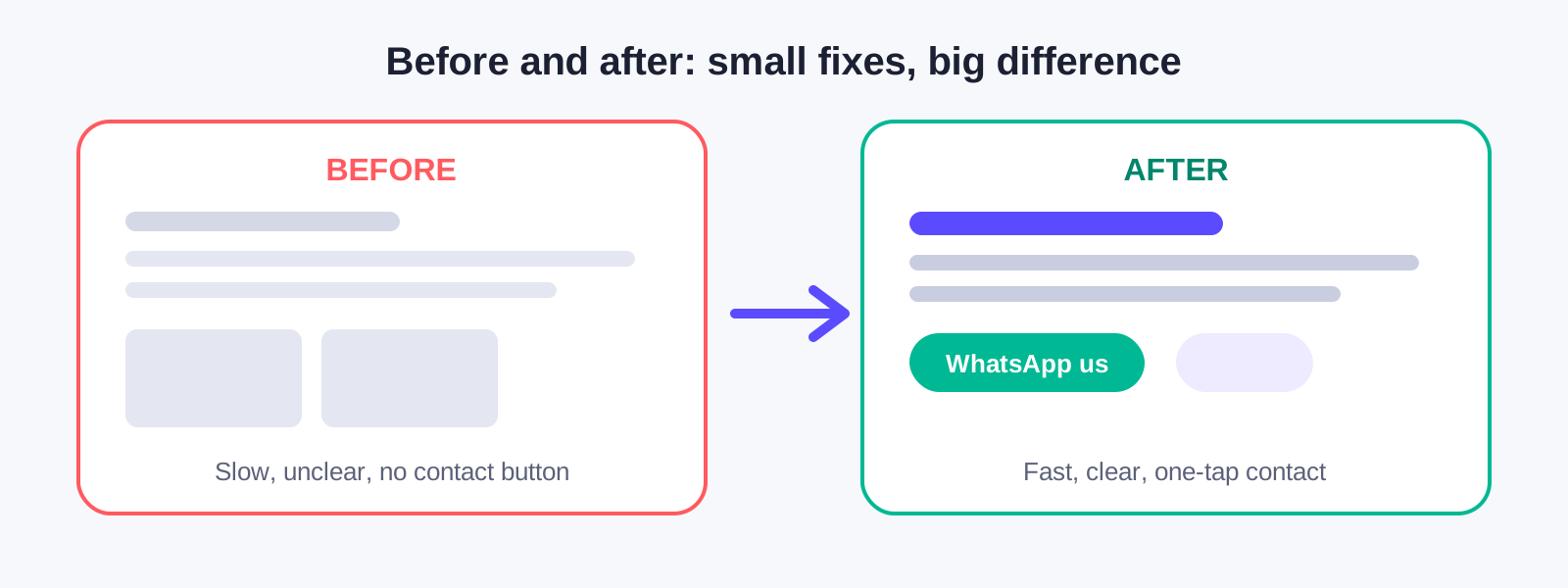
The fix: Add a visible call button and a WhatsApp button on every page. Put your phone number, address and Google Map on the contact page.
Mistake 4: An Unclear Message
The problem: Visitors decide in a few seconds whether you are the right business. If the first screen is full of big words but does not say what you do, they will not stay.
The fix: Write one clear line at the top: what you do, who it is for and where. Then add a button, such as "Get a quote" or "WhatsApp us".
Mistake 5: Poor Photos and Old Content
The problem: Blurry photos, old prices and expired offers make a business look closed or careless. Trust drops quickly.
The fix: Use clear, real photos of your products, shop or team. Update prices, offers and timings often, and remove anything that is out of date.
Mistake 6: Not Showing on Google
The problem: You may have a beautiful website, but if nobody can find it, it cannot bring customers. Many local searches happen on Google and Google Maps.
The fix: Set up basic SEO, write clear page titles and descriptions, and create your Google Business Profile with correct address, phone and photos.
Mistake 7: No Security or Updates
The problem: A website without HTTPS shows a warning in the browser, and an old, unmaintained site can break or be hacked. Customers do not trust such a site.
The fix: Install an SSL certificate (the padlock), take regular backups and keep your website updated. A maintenance plan takes care of this for you.
Your 5-Minute Website Checklist
Open your website on your phone and answer these questions honestly. Every "No" is a chance to get more customers.
| Question to ask | Yes / No |
|---|---|
| Does my website open in about 2 to 3 seconds on mobile? | ☐ Yes ☐ No |
| Does it look clean on a phone screen? | ☐ Yes ☐ No |
| Can a customer call or WhatsApp me in one tap? | ☐ Yes ☐ No |
| Does the first screen say what I do and where? | ☐ Yes ☐ No |
| Are my photos clear and my prices and offers up to date? | ☐ Yes ☐ No |
| Does my business show on Google and Google Maps? | ☐ Yes ☐ No |
| Does my site show the padlock (HTTPS) and get regular updates? | ☐ Yes ☐ No |
Want Us to Fix It? Get 40% Off
If you found more than two "No" answers, we can help. Vicky Web Studio in Tirupur builds fast, mobile-friendly, SEO-ready websites, and we are giving 40% off on packages for the New Year 2027. See our website development in Tirupur, website maintenance and SEO services. You can also send your website link for a free one-page audit on WhatsApp.
Offer terms and the last date are confirmed on WhatsApp when you contact us.
Common Questions
How do I know if my website is slow?
Open it on your phone using mobile data. If it takes more than a few seconds to show the main content, it needs speed improvements.
Should I rebuild my website or just fix it?
If the design is old and not mobile-friendly, rebuilding is often better. If the design is good, many problems can be fixed without a full rebuild. We can check and advise you.
Can you check my website for free?
Yes. Send us your website or Google Maps link on WhatsApp and we will share a free one-page audit within 24 hours.
How long does it take to build a new website?
Many projects are delivered in around 3 days, depending on the size of the work.
Stop Losing Customers Today
Send us your website link on WhatsApp, and we will tell you what to fix first.
Instagram: @vickywebstudio WhatsApp: +91 81110 38481 Website: vickywebstudio.in